Key takeaways
- Use Ethernet cable rated for outdoor or direct burial where it will be exposed, and protect connections from moisture.
- Check that the PoE switch or NVR supports the standard and total power budget the camera requires.
- Mount at a height that is hard to reach but allows a clear view, as the manual suggests, and avoid pointing at neighbors’ windows. Check local privacy laws for recording audio and public spaces.
- Do not drill into walls without checking for wiring and pipes, and use a professional for work near electrical service.
- Avoid pointing cameras directly at bright lights or the sun.
- Keep firmware up to date and use unique passwords.
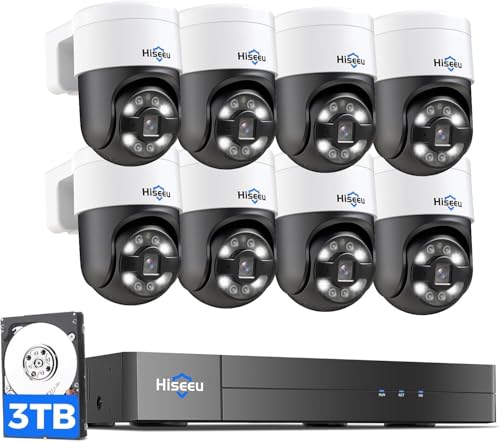
For most homes, a Reolink 4K PoE camera or a Reolink PoE NVR kit is the easiest value-focused route to 4K wired security, Amcrest and Hikvision-class cameras suit people who want ONVIF flexibility and third-party software, and Ubiquiti UniFi or Axis cameras suit buyers building a more polished or professional system. The right choice depends on whether you want a recorder in the box, local storage, smart detection and how comfortable you are running Ethernet cable.
Our top picks


As an Amazon Associate we earn from qualifying purchases at no extra cost to you.
4K PoE Security Cameras at a Glance
| Brand and line | Best for | What the maker lists | Storage | Limits |
|---|---|---|---|---|
| Reolink RLC-series 4K PoE and NVR kits | Value-focused home setups | 8-megapixel (4K) resolution, PoE power, person and vehicle detection on selected models | Local recording to NVR or microSD, depending on model | App and software less polished for some users |
| Amcrest 4K PoE cameras | Users wanting open protocols | 4K resolution, PoE, ONVIF support on many models | NVR, microSD or cloud plan | Firmware and features vary by model |
| Hikvision and Dahua-based cameras | Experienced DIY and installers | 4K options, PoE, ONVIF, wide model choice | Local NVR | Regional restrictions and security concerns in some markets |
| Ubiquiti UniFi Protect cameras | Home labs and polished interfaces | 4K options, PoE, integrated management app | UniFi NVR or console | Ecosystem lock-in |
| Axis network cameras | Business and professional use | Higher-end sensors, PoE, long support track | Compatible NVR or video management software | Higher cost tier |
| Lorex and Swann 4K PoE kits | Boxed systems with a recorder | 4K cameras, PoE NVR included | Hard drive included or optional | Closed ecosystems for some kits |
Exact model numbers, sensor sizes and features change often. The product families above are those that independent reviewers regularly compare, and the maker’s own specification sheet on the exact model should be the final reference.
Why Choose a PoE Camera
Power over Ethernet carries power and data over one network cable, so the camera needs just one run back to a PoE switch or NVR. That means no separate power outlet near the camera, and it avoids Wi-Fi congestion. Wired connections are usually considered more reliable than Wi-Fi because they are less likely to drop during busy hours. They also let you run long cable distances, which standard Ethernet allows up to about 100 meters (328 feet).
The trade-off is installation. Running cable through walls, attics or conduit takes time, and drilling near wiring has risks. If you are not comfortable, a low-voltage installer or an electrician can do the work. PoE cameras also need a compatible PoE switch or recorder with enough power budget for every camera.
What 4K Gives You
A 4K camera (about 8 megapixels) captures more pixels than 1080p or 2K, so you can zoom in on a license plate or face with more detail, especially at the driveway or yard. It does not fix poor lighting, and a larger sensor and good lens matter as much as resolution. Night image quality depends on the sensor, infrared range and on whether the maker lists color night vision or a spotlight.
Higher resolution means more data, so bandwidth and storage needs grow. Many cameras let you use a lower-resolution substream for live viewing while recording the main stream, which reduces load.
Features to Compare
Sensor and lens
Check the sensor size and lens field of view that the maker lists. A wide angle suits yards and entrances, and a narrower field suits driveways and gates. Varifocal lenses let you adjust zoom at install.
Smart detection
Person, vehicle and animal detection can cut false alerts from shadows and trees. Some run on the camera, and others on the NVR. Reolink, Amcrest and UniFi all list detection features on selected models.
Night vision and light
Infrared LEDs give black-and-white night views. Spotlight or color night vision models can show color after dark and also deter intruders, though lights can attract insects and affect image quality.
Storage and recording
An NVR with a hard drive provides continuous local recording. MicroSD works as a backup. Cloud plans add off-site copies but can mean recurring fees. Calculate drive size from the bitrate and number of cameras.
Protocols and software
ONVIF and RTSP support allow cameras to work with third-party software like Blue Iris, Synology Surveillance Station or Frigate. If you want flexibility, choose cameras that list these.
Weather and durability
Outdoor cameras list IP ratings such as IP66 or IP67. Confirm the stated rating and the operating temperature range for your climate.
Security of the system
Change default passwords, keep firmware updated, put cameras on a separate network or VLAN if possible, and avoid exposing the recorder to the internet directly. Follow the maker’s security guidance.
Picks by Budget Tier
Budget tier
Reolink and Amcrest tend to be described by reviewers as strong value options, offering 4K resolution and PoE at an accessible tier. Reolink PoE kits with an NVR make setup simple for beginners.
Mid-range tier
Lorex, Swann and higher Reolink and Amcrest models offer better lenses, smart detection and enclosure quality. Ubiquiti UniFi cameras fit here for those who like a clean interface and plan on a UniFi network.
Premium tier
Axis and similar professional cameras provide better low-light performance, durable housings and extended support. They suit small businesses and users who want long-lasting equipment, and they are generally bought through installers.
Decision Table: Pick X If…
| Pick this | If… |
|---|---|
| Reolink PoE NVR kit | You want the simplest wired 4K system with local recording |
| Amcrest 4K PoE camera | You want ONVIF and the option to use third-party recording software |
| UniFi Protect camera | You already use UniFi networking and want one interface |
| Lorex or Swann kit | You prefer a packaged system with a recorder from a retail brand |
| Axis camera | You need business-grade quality and long-term support |
| Hikvision-class camera | You are experienced, local rules allow it, and you will harden the network |
| Wi-Fi camera instead | You cannot run cable and accept less reliability |
Installation and Safety Notes
- Use Ethernet cable rated for outdoor or direct burial where it will be exposed, and protect connections from moisture.
- Check that the PoE switch or NVR supports the standard and total power budget the camera requires.
- Mount at a height that is hard to reach but allows a clear view, as the manual suggests, and avoid pointing at neighbors’ windows. Check local privacy laws for recording audio and public spaces.
- Do not drill into walls without checking for wiring and pipes, and use a professional for work near electrical service.
- Avoid pointing cameras directly at bright lights or the sun.
- Keep firmware up to date and use unique passwords.
Alternatives
Wi-Fi 2K and 4K cameras
Brands like Eufy, Wyze and Ring offer wireless cameras with simpler installs. They are less reliable than wired options in congested networks and may use cloud subscriptions.
Battery cameras
Battery-powered cameras suit places where cabling is impossible. They need recharging and typically record only on motion.
Professionally installed systems
Security installers provide cabling, aiming and monitoring. This can cost more upfront but saves effort and delivers a neat result.
Planning Your Camera Layout
Before purchasing, walk the property and mark each camera position. Entrances, garage doors, driveways and side gates are common priorities. Choose a mix of wide-angle models for general coverage and narrower lenses for gates or plates. Avoid placing cameras facing the sun, and leave some slack in cable for adjustments. Sketch cable routes and measure them to confirm the Ethernet limit and switch port count. Allow spare ports on the switch or NVR for later additions.
It is also wise to plan power resilience. A small uninterruptible power supply on the switch and recorder keeps cameras running through brief outages, which is when security matters most. Finally, decide how long you want to keep footage, and size the hard drive accordingly, because continuous 4K recording across several cameras can fill a drive faster than many first-time buyers expect.
Frequently Asked Questions
Is 4K worth it for home security?
It helps when you need detail at a distance, such as reading a license plate or identifying a face. For indoor or short-range uses, 2K or 1080p may be enough and use less storage. Lens and sensor quality still matter.
How much storage do 4K cameras need?
It depends on the bitrate, frame rate and whether you record continuously or on motion. Makers publish bitrate figures, and recorder makers provide calculators. As a general rule, larger drives and fewer cameras per drive help.
Do PoE cameras need Wi-Fi?
No. They connect through Ethernet. You only need internet access if you want remote viewing, notifications or cloud features.
How far can PoE cable run?
Standard Ethernet allows about 100 meters (328 feet) between switch and camera. For longer distances you can use a PoE extender or fiber link, following the manufacturer’s guidance.
Can I mix brands on one recorder?
Often yes if they support ONVIF, though features such as smart detection may only work with the same brand. Check the recorder’s compatibility list.
How do I keep my cameras secure from hackers?
Change default credentials, enable two-factor authentication where offered, update firmware and keep cameras on an isolated network. Avoid port forwarding to the recorder, and use the maker’s secure remote access or a VPN instead.