For most households, a PoE bullet camera from Reolink, Amcrest or TP-Link’s VIGI line is the practical choice for dependable wired coverage, while UniFi cameras suit anyone running a UniFi network and Axis or Hikvision-class models suit buyers wanting professional-grade hardware. The right camera depends on where it mounts, how much detail you need at night, and which recorder or software will store the footage.
Our top picks


As an Amazon Associate we earn from qualifying purchases at no extra cost to you.
Why Choose PoE Cameras
Power over Ethernet sends electricity and data through a single network cable, so you need only one run to each camera and no nearby outlet. That makes mounting under eaves, on poles and in detached garages easier. Wired links also avoid the dropouts that sometimes affect Wi-Fi cameras. Reviewers regularly cite reliability and local recording as the main reasons to go PoE over battery or wireless designs.
The costs are cable installation and the need for a PoE source, either an NVR with PoE ports, a PoE switch, or a PoE injector. Standard Ethernet runs are limited to about 100 meters, so very long distances need extenders or a switch partway.
At a Glance: PoE Cameras Compared
| Camera line | Form | Best for | Key traits the maker lists | Limits |
|---|---|---|---|---|
| Reolink RLC series (e.g. RLC-810A, RLC-1212A) | Bullet | Home perimeter, driveways | 4K or higher resolution on selected models, person and vehicle detection, local storage | Feature set varies by model |
| Reolink Duo series | Dual-lens bullet | Wide yards and parking areas | Two lenses stitched to a wide view on selected models | Narrower recorder compatibility |
| Amcrest ProHD / UltraHD PoE | Bullet, turret, dome | ONVIF-based mixed setups | ONVIF support, multiple form factors | App and interface feel basic |
| TP-Link VIGI C series | Bullet, turret, dome | Small business, budget-aware buyers | PoE cameras designed to work with VIGI NVRs | Ecosystem is newer |
| UniFi Protect cameras | Bullet, dome, turret | UniFi network owners | Tight app integration and local storage on a UniFi recorder | Locked to the UniFi ecosystem |
| Axis and Hikvision pro lines | Many | Business and installer projects | Wide model range, strong low-light options | Complex configuration, need for compatible recorder |
Reolink: Wide Range at Accessible Tiers
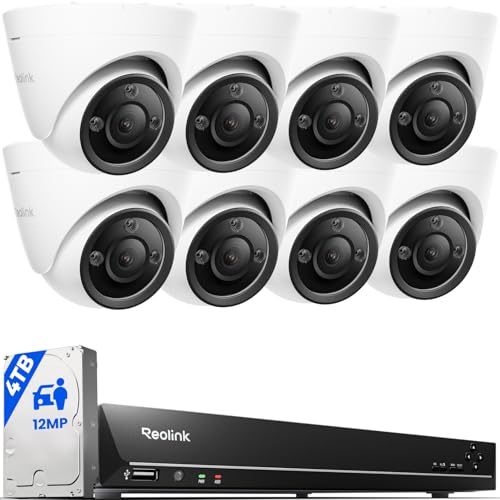
Reolink offers PoE cameras across resolutions, including 4K and higher models, with the maker listing person, vehicle and pet detection on selected units and options for color night vision using a spotlight. Independent reviewers generally find image quality good for the category and setup simple when paired with a Reolink NVR. The dual-lens Duo models extend coverage for wide areas. As always, read the individual model page because features differ.
Amcrest: Flexible ONVIF Cameras
Amcrest sells bullets, turrets and domes in several resolutions. The maker highlights ONVIF support, so cameras can be added to third-party recorders or software such as Blue Iris or Frigate. This suits anyone planning to build a custom setup rather than buy a closed kit.
TP-Link VIGI: Newer Entrant for Small Business
TP-Link’s VIGI range pairs PoE cameras with VIGI recorders and a management app. Reviewers who have covered the line describe it as competitive for small business use. Because it is a newer ecosystem than some rivals, confirm which recorders and apps support your chosen camera model.
UniFi Protect: Polished and Integrated
For those already using UniFi switches and gateways, UniFi cameras appear in one app, and PoE power comes from the same switches. Reviewers like the clean interface and local storage. The limitation is that you generally cannot mix in other brands, and the cost of entry is higher than a basic kit.
Professional Brands
Axis, Hikvision, Dahua and Hanwha produce cameras widely installed in businesses. Selection depends heavily on the model. Some regions restrict certain brands for government or sensitive use, so check local regulations and procurement rules if that applies. These cameras may need an installer or experience with network configuration.
Choosing the Right Camera
Form factor
- Bullet: long and visible, a good deterrent, simple to aim.
- Turret: compact ball design that reduces glare from IR at night on many models.
- Dome: vandal-resistant and discreet, good under eaves and indoors.
Resolution and field of view
Eight megapixels, often called 4K, gives more detail for recognizing faces and license plates at moderate distance, but needs more storage. A wider lens covers more area but spreads detail thinner. Match the lens to the distance rather than buying the highest number.
Night vision
Infrared gives black-and-white video in darkness; color night vision uses a white light or very sensitive sensor. Makers publish IR range, but real-world range is shorter than the figure, because reflections and fog reduce it. Avoid pointing a camera at a window or a surface that bounces IR back.
Weather ratings
Look for an IP66 or IP67 rating for outdoor use, and a stated operating temperature range if you live in a cold or hot climate.
PoE standards
Most cameras use 802.3af, with some higher-power models needing 802.3at. Make sure your switch or NVR supports the standard and has enough total power budget.
Budget Tiers
| Tier | What you get | Examples |
|---|---|---|
| Budget | 1080p to 4MP bullet with IR night vision | Entry Reolink, Amcrest, TP-Link VIGI |
| Mid-range | 4K, smart detection, color night vision | Reolink RLC-810A class, Amcrest UltraHD |
| Premium | Better sensors, integrated software, long-term support | UniFi, Axis |
Installation and Safety Notes
- Use shielded outdoor-rated Ethernet cable for exterior runs and seal connectors as the maker instructs.
- Use a surge protector or PoE surge device on long outdoor runs where lightning is a concern.
- Do not run low-voltage cable alongside mains wiring. For work near electrical systems or through firewalls in walls, hire a licensed electrician or installer.
- Secure the network: change default passwords and keep firmware updated.
- Check local rules on recording, signage and pointing cameras at neighbors.
Pick X If… Decision Table
| Pick this | If you… |
|---|---|
| Reolink RLC-810A class | Want a well-rounded 4K bullet with local recording |
| Reolink Duo | Need to cover a wide yard with one camera |
| Amcrest ONVIF camera | Plan to use third-party recorder software |
| TP-Link VIGI | Want a budget-aware small-business system |
| UniFi camera | Already run UniFi networking |
| Axis or Hikvision | Need professional features and have an installer |
Alternatives
- Wi-Fi cameras: easier to place but depend on signal and an outlet or battery.
- Battery cameras with a solar panel: fine for remote spots without cable, with shorter clip lengths.
- Power-over-Ethernet with a Wi-Fi bridge: a hybrid for outbuildings, though it adds complexity.
Planning Your Camera Layout
Before buying, walk the property and list every entry point: front door, driveway, side gate, back door and any outbuildings. Reviewers who cover home security often suggest starting with the spots where people actually approach, then adding coverage for blind spots. Mount cameras high enough to be out of easy reach but low enough to capture faces rather than the tops of heads, which usually means around two and a half to three meters for outdoor bullets.
Think about light too. Cameras facing a rising or setting sun can wash out, and street lamps can cause glare at night. Where possible, angle the lens slightly downward and use the maker’s masking tools to ignore public sidewalks or moving trees that would trigger endless alerts.
Finally, count your PoE ports. If your recorder or switch has eight ports and you plan on six cameras, you keep two for future growth or an access point. Label each cable at both ends during installation, which saves a great deal of time when troubleshooting later.
Also decide in advance how long you want to keep footage. A household that only reviews clips after an incident may be content with a week or two, while a small business may need a month or more. That target determines how much storage the recorder needs and whether motion-only recording is acceptable.
Frequently Asked Questions
Do PoE cameras need a separate power supply?
No, provided they connect to a PoE source such as an NVR with PoE ports, a PoE switch or an injector. The single Ethernet cable carries both power and data. Check the camera’s required PoE standard against your equipment.
How long can the Ethernet cable be?
Standard Ethernet is rated for up to about 100 meters between powered device and switch. Beyond that you can add a PoE extender or an intermediate switch. Cable quality matters, and cheap copper-clad cable can lose power over distance.
Will any PoE camera work with any recorder?
Not always. ONVIF support helps cameras work with other brands, but features like smart detection may only work inside the maker’s own ecosystem. Check compatibility lists before mixing brands.
Is 4K necessary for home security?
Not for every camera. A 4MP camera is often enough for doorways and short distances, while 4K helps when you need detail across a larger area. Higher resolution also uses more storage and bandwidth.
Do PoE cameras work during a power cut?
Only if the PoE source and recorder are on backup power. A small UPS can keep an NVR and PoE switch running for a limited time, depending on the load.
Can I use a PoE camera with only a router?
Most routers do not supply PoE. You would add a PoE injector or switch between router and camera, and use the camera’s app or an NVR to view and record footage.