Key takeaways
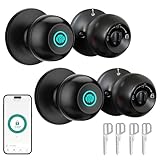
- Smart deadbolts without a keypad: app, card or fob-controlled locks that keep the door looking plain, although a keypad is helpful for guests without phones.
- Fingerprint locks: useful for households that want biometric entry, with a keypad as a fallback.
- Mechanical combination locks: no batteries and no connectivity, suitable for simple needs.
For most homes, a keypad deadbolt from an established lock brand such as Schlage, Yale, Kwikset or Level is the right choice, and the best fit depends on whether you want a simple standalone code lock, a Wi-Fi or Bluetooth smart lock, or a model that works with an ecosystem like Apple Home, Google Home or Alexa. Renters and people who dislike changing hardware often prefer retrofit-style locks that keep the existing exterior look, while owners who want the fewest compromises tend to choose a full deadbolt replacement with a physical key backup.
Our top picks


As an Amazon Associate we earn from qualifying purchases at no extra cost to you.
Keypad Door Locks at a Glance
| Lock family | Best for | Stated features (per makers) | Limits |
|---|---|---|---|
| Schlage Encode / Encode Plus | Wi-Fi smart lock users wanting keypad plus app control | Built-in Wi-Fi on Encode; Plus adds Apple Home Key support; keypad and key backup | Larger exterior keypad; battery needed |
| Yale Assure Lock 2 | Flexible keypad or touchscreen options and module-based connectivity | Keypad and touchscreen versions; connectivity chosen through a network module; key-free or key-backup versions | Module choice affects features and compatibility |
| Kwikset SmartCode / Halo | Value-oriented keypad deadbolt with optional smart features | Keypad deadbolts; some versions with Wi-Fi or Zigbee/Z-Wave options | Features differ by model; read the spec sheet |
| Level Bolt / Level Lock+ | People who want a hidden, slim look | Retrofit-style design keeps existing hardware outside; Lock+ adds keypad-style access via card or app, per maker | Premium positioning; some models have no keypad |
| Basic standalone keypad deadbolt | Simple code entry with no apps | Code-only operation, no network required | No remote access or logs |
What to Look For in a Keypad Lock
Door and hardware fit
Most residential locks are designed for a standard door thickness range and a common bore hole size, but not every model fits every door. Check the stated door thickness, bore hole diameter and backset in the maker’s specifications before ordering. If the door has a sticky bolt or the strike plate is misaligned, smart locks can struggle, so fix the door first.
Power and batteries
Keypad locks run on batteries, commonly AA cells, and makers state an expected battery life under typical use. Wi-Fi models generally drain faster than Bluetooth or code-only models. Look for low-battery alerts and an emergency way to power the lock if the batteries die, such as a 9-volt terminal or a key backup.
Connectivity
Bluetooth is common for phone control at close range. Wi-Fi allows remote control without a hub. Z-Wave and Zigbee require a compatible hub but can be very reliable in a larger smart-home setup. Thread and Matter support is increasingly listed, so read the maker’s page for the current compatibility list rather than assuming.
Codes and access control
Many keypad locks store a set number of user codes and some allow temporary or scheduled codes. This is useful for guests, cleaners, dog walkers and short-term rentals. Wi-Fi-connected models usually make code changes simple through an app.
Security ratings
Look at the stated ANSI/BHMA grade. Grade 1 is the highest of the three residential-use grades, and Grade 2 is common for good-quality residential locks. A grade tells you about durability and resistance to physical attack, but it does not guarantee protection from every method of entry.
Physical key backup
Some locks have a traditional keyway and some are key-free. A key backup is a safety net if batteries die or the electronics fail, while a key-free lock removes a pickable weak point but needs a reliable power plan. Choose based on how you would handle a lockout.
Budget Tiers
Budget
Code-only keypad deadbolts and basic Kwikset-style models fit here. They give you key-free entry for family members and do not need an app, but they usually lack remote control, access logs or integrations.
Mid-range
This is where most buyers will land. Bluetooth or Wi-Fi keypad deadbolts from Schlage, Yale and Kwikset provide app control, temporary codes and smart-home links. The Yale Assure Lock 2 and Schlage Encode families are widely covered by reviewers as reliable choices.
Premium
Premium locks add slim retrofit designs, Apple Home Key or advanced access features, higher-grade finishes and sometimes extra sensors. They are worth considering if appearance, keyless unlocking from a phone or watch, or a particular ecosystem is your priority.
Installation and Maintenance
Most deadbolt replacements can be installed with a screwdriver in under an hour on a prepared door, and makers provide step-by-step guides. If you are unsure about the door prep, a locksmith can help. After installation, run the lock through several full lock and unlock cycles with the door open, then closed, to confirm that the bolt extends and retracts smoothly.
Replace batteries on the maker’s schedule, not only when a low-battery warning appears. Use fresh alkaline batteries of the type recommended in the manual, and avoid mixing old and new. Wipe the keypad with a soft, damp cloth, and avoid harsh solvents that can damage the finish or the touch surface.
Set a code that is not a birthday, address or simple repeating sequence, and change default codes as soon as the lock is installed. If a family member or guest no longer needs access, delete their code. Keep firmware updated through the maker’s app where applicable.
Pick X If… Decision Table
| Pick this | If you |
|---|---|
| Schlage Encode / Encode Plus | want built-in Wi-Fi and do not want to buy a separate hub |
| Yale Assure Lock 2 | want a choice between keypad and touchscreen and a module for your preferred protocol |
| Kwikset SmartCode or Halo | want a more affordable keypad deadbolt with optional smart features |
| Level Bolt or Lock+ | want a retrofit look that keeps your existing exterior hardware |
| Basic code-only deadbolt | want simple code entry without apps or accounts |
Compatibility Notes
If you already use Apple Home, Google Home or Alexa, confirm the lock’s listed compatibility before buying. Some locks work natively, some require a bridge and some offer limited features. For rentals or shared homes, check whether the landlord allows replacing the deadbolt, or choose a retrofit lock designed to attach to the existing hardware.
Door type matters as well. Standard single-cylinder deadbolts are the most common. Doors with a mortise lock, a multipoint system or a glass-heavy frame may need a lock designed for that hardware. The maker’s compatibility guide or a locksmith can confirm what suits the door.
Alternatives
- Smart deadbolts without a keypad: app, card or fob-controlled locks that keep the door looking plain, although a keypad is helpful for guests without phones.
- Fingerprint locks: useful for households that want biometric entry, with a keypad as a fallback.
- Mechanical combination locks: no batteries and no connectivity, suitable for simple needs.
Before You Buy: A Quick Checklist
Start by confirming the door specifications: thickness, bore hole size and backset. Next, decide how you want to unlock the door day to day, whether by code only, by phone, by card or by a mix. Then list the ecosystems you already use, because the best lock for an Apple Home household can differ from the best for a Google Home or Alexa household.
Think about who will use the lock. Children, older relatives and visitors may find a simple physical keypad easier than an app. If several people need access, check how many user codes the lock stores and whether you can set schedules. For rental or short-stay use, temporary codes and an access history are valuable features, and they usually require a connected model.
Finally, plan for failure. Decide whether you want a key backup, where you will keep a spare, and how quickly you could replace batteries. Even the most dependable electronic lock should be treated as hardware that needs periodic attention, and a good plan makes a lockout a minor inconvenience instead of an emergency.
Frequently Asked Questions
Are keypad door locks secure?
A good keypad lock from a reputable brand with a high ANSI/BHMA grade can be a solid addition to a door. Overall security also depends on the door, frame, strike plate and screw length. Choose a strong code, change it when needed and follow the maker’s guidance.
What happens when the batteries run out?
Most keypad locks give low-battery warnings well ahead of failure. Many also include a physical key or an external terminal that lets you power the lock temporarily with a 9-volt battery. Check the manual for the exact method on your model.
Do keypad locks need Wi-Fi?
No. Standalone keypad deadbolts work without any network. Wi-Fi or hub-connected models add remote control, notifications and code management, but they are optional extras.
Can I install a keypad lock myself?
Most residential keypad deadbolts are designed for do-it-yourself installation on a standard door prep. If the bore hole is the wrong size or the door does not align with the frame, a locksmith or carpenter can fix it. Always follow the maker’s instructions.
Will a keypad lock work with my smart-home system?
Compatibility varies by model and by protocol. Read the maker’s current compatibility list for Apple Home, Google Home, Alexa, Matter, Z-Wave or Zigbee before choosing. A hub or bridge may be required for some features.
How often should I change the code?
Change it whenever someone who knew it no longer needs access, and consider periodic changes for shared or rental properties. Use temporary codes for guests when the lock supports them, so you do not need to share your main code.