Key takeaways
- Pro: Pure sine wave protects active PFC power supplies from shutdown on transfer
- Pro: Twelve outlets with AVR reduce clutter and extend battery life
- Con: Large mini-tower footprint limits placement options on a crowded desk
A power outage during a storm can take everything with it: unsaved files, a running router, a refrigerator full of food, a sump pump keeping water out of your basement. A power backup solves this problem by bridging the gap between the moment grid power drops and the moment you can switch to a generator, reach your laptop, or safely shut down sensitive electronics. The right unit buys you time and prevents hardware damage; the wrong one leaves you scrambling in the dark with a dead battery that cannot handle your load.
Across this roundup we compared published specifications, current prices, and owner feedback for eight units spanning basic standby UPS models to a high-capacity portable power station. What separates a worthwhile power backup from a disappointment comes down to capacity headroom, waveform quality, and how well the unit matches the specific devices you need to protect. Below you will find clear picks for deskside electronics, whole-home backup, and everything in between.
Our top picks




As an Amazon Associate we earn from qualifying purchases at no extra cost to you.
Quick Picks
| Product | Best for | Price |
|---|---|---|
| CyberPower CP1500PFCLCD | Desktop PC and workstation | $239.95 |
| APC BE600M1 | Router, modem, small NAS | $77.38 |
| CyberPower ST425 | Budget router protection | $59.95 |
| APC BX1500M | Mid-range PC and monitor setup | $189.99 |
| CyberPower EC850LCD | Energy-conscious office equipment | $119.95 |
| CyberPower CP1500AVRLCD3 | Multi-outlet home office | $199.95 |
| APC BE425M | Single router or modem | $62.50 |
| Anker SOLIX S2000 | Whole-room home backup | $649.99 |
How We Picked
We evaluated each unit on four criteria drawn from published specs and recurring owner feedback: capacity relative to real-world device loads, output waveform type and whether sensitive electronics tolerate switching, the number and type of battery-backed outlets versus surge-only ports, and long-term reliability signals such as battery replacement availability and reported failure rates. Price-per-watt served as a cross-check, not a primary driver, because a cheap unit that cannot carry your load is worse than no unit at all.
The 8 Best Power Backup in 2026
CyberPower CP1500PFCLCD PFC Sinewave UPS
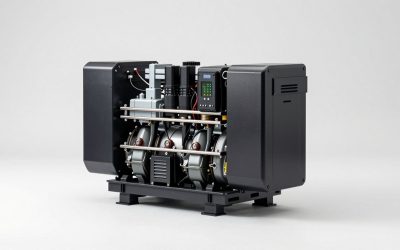
Owners pairing a high-performance desktop PC or workstation with sensitive power supplies consistently choose this unit. Its pure sine wave output mirrors what a grid provides, so PFC power supplies do not shut down during the transfer. The 1500VA/1000W rating handles a full system plus one monitor, and twelve outlets reduce the need for extension strips. AVR corrects minor brownouts without draining the battery. The main trade-off is bulk; this is not a unit you hide under a slim desk. Skip it if your setup draws well under 300W, where a smaller standby UPS covers the same job at half the price.
- Pro: Pure sine wave protects active PFC power supplies from shutdown on transfer
- Pro: Twelve outlets with AVR reduce clutter and extend battery life
- Con: Large mini-tower footprint limits placement options on a crowded desk
APC BE600M1 UPS Battery Backup
This is the go-to power backup for anyone whose priority is keeping a router, modem, and small NAS alive through short outages. At 600VA/330W it is not designed to carry a full PC, but owners report it handles networking gear and a low-draw NAS comfortably for well over ten minutes. The simulated sine wave is acceptable for switching power supplies inside routers and most NAS units. The trade-off is limited outlet count and no LCD status readout. Skip this if you need to keep a gaming rig running or if your NAS has an active PFC supply that rejects simulated waveforms.
- Pro: Affordable and sized perfectly for networking and small storage loads
- Pro: Compact enough to sit on a shelf without drawing attention
- Con: Simulated waveform may cause some PFC supplies to transfer-shut-down
CyberPower ST425 Standby UPS
At the lowest price in this group, the ST425 targets the buyer who simply needs a router or cable modem to stay online during brief flickers. Owner feedback confirms it does that job without drama. The 425VA standby topology means it switches to battery only when voltage drops outside its window, which is fine for low-draw networking hardware. The limitation is capacity: you cannot add a monitor or a small NAS without approaching the ceiling quickly. Skip this unit the moment your protected load includes anything beyond a router and modem, because runtime falls off a cliff.
- Pro: Lowest entry price makes it easy to protect critical network gear
- Pro: No software or LCD to learn; plug in and forget
- Con: Capacity headroom disappears if you add even a small monitor
APC BX1500M UPS Battery Backup
The BX1500M occupies the sweet spot for home-office users who want a 1500VA/900W unit with an LCD readout and AVR, without paying the premium for a pure sine wave output. Owners with standard (non-PFC-sensitive) desktops and dual-monitor setups report solid runtime and a clear front panel that shows load percentage and estimated time remaining. The simulated sine wave is a real limitation if your workstation uses an active PFC supply rated above 750W. Skip this if that describes your hardware; the CyberPower CP1500PFCLCD is the better match at a modest price increase.
- Pro: LCD and AVR make status visible and reduce unnecessary battery drain
- Pro: Good capacity-to-price ratio for typical office loads
- Con: Simulated waveform is incompatible with some high-end PFC power supplies
CyberPower EC850LCD Ecologic UPS
This model appeals to buyers who want moderate capacity and energy-efficiency features in a compact package. The 850VA rating suits a single monitor, a small-form-factor PC, or an all-in-one workstation. Owners appreciate the “Energy-Saving Outlets” that cut power to peripheral ports when the primary device is off, reducing phantom draw. The trade-off is that the LCD is small and the runtime on a fully loaded system is short. Skip this if your setup includes a second monitor or any device drawing over 400W combined.
- Pro: Energy-Saving Outlets cut standby waste from peripherals automatically
- Pro: Compact form factor fits easily on a shelf or under a laptop stand
- Con: Runtime drops quickly when the unit is loaded near its ceiling
CyberPower CP1500AVRLCD3 Intelligent LCD UPS
The CP1500AVRLCD3 is a strong all-rounder for a multi-device home office: PC, two monitors, speakers, and a small NAS can all find a socket here. The 1500VA/900W capacity and AVR match what many users actually need, and the LCD provides real-time load and battery status. Owner feedback notes the unit is noticeably quieter than older CyberPower models. The drawback is that, like the APC BX1500M, it uses a simulated waveform, which can irritate certain PFC supplies. Skip this if pure sine wave is non-negotiable for your hardware.
- Pro: Intelligent LCD with clear load and battery readout helps avoid overload
- Pro: Quiet fan operation suits a bedroom or study environment
- Con: Simulated waveform limits compatibility with some high-end PC builds
APC BE425M UPS Battery Backup
For the household that needs exactly one router and one modem to stay online, the BE425M is the simplest power backup you can buy at this size. Owner reports confirm it keeps networking equipment alive through typical storm-related interruptions and handles minor voltage sags. At 425VA/225W there is no room to expand later. The trade-off is the very same as the CyberPower ST425: you buy it for one narrow job and cannot grow into it. Skip this if you foresee adding a small NAS, a gaming PC, or anything that draws more than a light bulb.
- Pro: Lowest-cost APC entry with reliable brand-name battery support
- Pro: Small footprint fits behind or beside a cable modem without a trip hazard
- Con: No capacity headroom for expansion beyond a single low-draw device
Anker SOLIX S2000 Portable Power Station
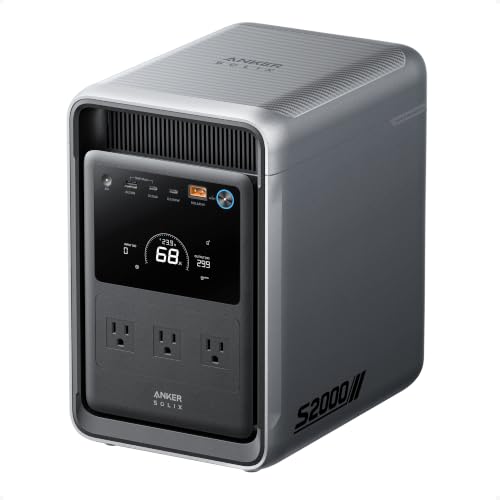
The SOLIX S2000 is a different category entirely: a portable power backup for rooms, not desks. With 2,010Wh of storage and 3,000W peak output, owners run refrigerators, space heaters, CPAP machines, and power tools off it during extended outages. The LiFePO4 chemistry means thousands of cycles and a long calendar life. The downsides are price and weight; this is not a silent, always-on desk UPS and it will not hand off in milliseconds. Skip it if your goal is seamless zero-interruption protection for a running PC; a traditional UPS does that better.
- Pro: High capacity and wattage run appliances a standard UPS cannot touch
- Pro: LiFePO4 cells deliver long cycle life and stable output over years
- Con: No true UPS handoff; connected devices restart during the switch
Buying Guide
VA and Watt Rating: Size for Your Actual Load
The single most common mistake is buying a unit whose wattage ceiling falls below what your connected devices draw at peak. A gaming PC under load can pull 500W or more from the wall, and adding two monitors pushes that higher still. Check each device’s power label or use a wall meter to get a true worst-case figure, then select a power backup rated at least 20 to 30 percent above that number. This headroom prevents the unit from overloading the instant your GPU ramps up and avoids the short runtime that comes from running any UPS at its rated maximum.
Waveform Type: Sine Wave Versus Simulated
Traditional standby and line-interactive UPS units output a stepped approximation of a sine wave. Most switching power supplies inside routers, monitors, and mid-range desktops tolerate this without issue. However, computers using active Power Factor Correction supplies above a certain wattage threshold can misread the waveform and shut down the moment the UPS switches to battery. If your system uses an APFC supply, look for a unit that specifies pure sine wave output. The price premium is real but it eliminates the transfer-shutdown risk entirely.
Battery-Backed Outlets and Transfer Speed
Not every socket on a UPS feeds through the battery. Many units split outlets into battery-plus-surge and surge-only banks. Count your devices and confirm that each one you need to survive an outage sits on a battery-backed port. Also consider transfer speed: standby units switch in roughly four to twelve milliseconds, which is invisible to electronics but may cause a brief flicker on some monitors. Line-interactive models transfer faster and add AVR to correct brownouts without touching the battery, which extends the useful life of the cells between replacements.
Our Verdict
The CyberPower CP1500PFCLCD earns the top pick for the broadest range of home-office and gaming setups because its pure sine wave output, generous capacity, and twelve outlets cover nearly every deskside scenario without compromise. For buyers whose priority is simply keeping a router online, the APC BE600M1 at $77.38 delivers that function at a fraction of the cost and footprint. The condition that flips the verdict: if you need to keep a refrigerator, a medical device, or power tools running through a multi-hour outage, no traditional UPS will help you, and the Anker SOLIX S2000 becomes the only viable option on this list.
FAQ
Can a UPS power a refrigerator?
No standard deskside UPS has the capacity. A household refrigerator draws significant surge current on compressor start-up and requires continuous power over hours, which is beyond any unit in the traditional UPS range. A high-capacity portable power station like the Anker SOLIX S2000 can handle it because of its large Wh battery and high-wattage inverter.
How long will a power backup last during an outage?
Runtime depends on the connected load relative to the unit’s battery capacity. A 1000W UPS carrying a 300W desktop setup might provide ten to fifteen minutes. The same unit carrying 800W may last only two or three minutes. Check the runtime curve in the product’s spec sheet for realistic figures at your specific load.
Do I need a UPS for my Wi-Fi router?
If you depend on a landline connection that routes through your router, or if you use cloud-based services that require an active connection, then yes. A small standby UPS keeps your router and modem online through momentary outages, preserving the connection so your phone or laptop can still reach the internet the moment it reconnects.
How often should I replace the battery in a power backup?
Most sealed lead-acid UPS batteries last three to five years under normal conditions. Heat and frequent deep discharges shorten that window. Many units include a self-test or LCD alert that notifies you when capacity has degraded. Portable power stations using LiFePO4 chemistry last dramatically longer, often thousands of full cycles before meaningful capacity loss.