
Key takeaways
- Front door: a doorbell camera or a camera under the porch roof at roughly head height.
- Driveway and garage: a wide-angle or floodlight camera mounted high on the eave.
- Back door and ground-floor windows: common entry points for burglaries.
- Main hallway or living area: an indoor camera, if you accept indoor recording.
- Package area: a camera with package detection facing the delivery spot.
For most households, a Wi-Fi or PoE camera from Eufy, Reolink or Google Nest covers the front door and driveway well, while renters and people who dislike subscriptions should favor cameras with local storage, and owners who want the smoothest app and doorbell integration often look at Ring or Arlo. The right pick depends on three things: where the camera mounts, how it is powered, and whether you accept a monthly plan for cloud video. This guide compares the main families, summarizes what makers state, and flags where each falls short.
Our top picks
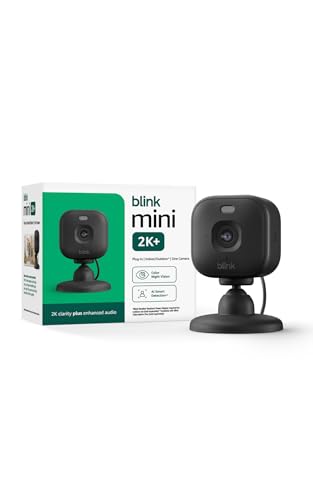

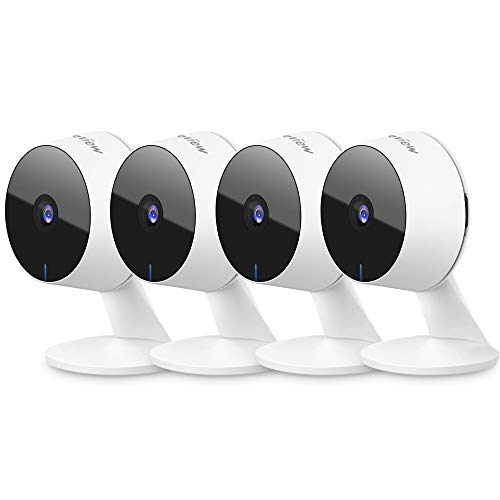

As an Amazon Associate we earn from qualifying purchases at no extra cost to you.
Home Security Cameras at a Glance
| Option | Best for | Key stated features | Limits |
|---|---|---|---|
| Eufy (indoor, outdoor, solar models) | Local storage with no required plan | The maker lists on-device storage, AI person detection and battery or solar outdoor options | Wi-Fi quality affects performance; read the maker’s privacy notes |
| Reolink (Wi-Fi, PoE, battery) | Value, wired reliability, driveways | The maker lists microSD or recorder storage, PoE models and high-resolution sensors | App is functional rather than polished; PoE needs cabling |
| Google Nest Cam | Households in the Google Home ecosystem | Maker lists indoor, outdoor and battery models with familiar-face and person alerts on paid tiers | Many smart features depend on a subscription |
| Ring cameras | Ring doorbell owners | Wide range of indoor, outdoor, stick-up and floodlight models | Recorded history depends on a plan |
| Arlo | Wire-free outdoor coverage | Battery and wired models, cloud plans for history | Plan costs; battery swaps on busy views |
| Wyze | Budget indoor and basic outdoor use | Compact Wi-Fi cameras with microSD recording on many models | Fewer premium features |
| Aqara and other smart-home brands | Matter or HomeKit Secure Video users | Makers list HomeKit or Matter support on selected models | Fewer outdoor choices |
The Key Decisions
Wired, battery or solar
Wired cameras (plugged in or PoE) record reliably and avoid battery chores. Battery cameras go anywhere but need periodic recharging, and busy views drain them faster. Solar panels sold by some makers, including Eufy and Reolink, can reduce charging, though shaded walls limit the benefit. If you can run a cable, a wired or PoE camera is usually the lowest-maintenance outdoor choice.
Cloud plan or local storage
Ring, Nest and Arlo lean on subscription plans for video history and advanced alerts. Eufy, Reolink and Wyze highlight local storage on microSD cards or a home hub or recorder. Local storage avoids monthly costs, but if a thief takes the camera or the card, footage goes with it. A hub or recorder kept indoors is safer than a card in the camera.
Resolution and night vision
Makers list resolutions from 1080p to 4K. Higher resolution helps read a license plate or face at distance, but it needs good bandwidth and storage. Night vision comes as infrared black and white or color night vision with a small spotlight; reviewers generally find color modes useful for describing clothing, yet they depend on ambient light.
Smart alerts
Person, package, vehicle and animal detection reduce false alerts from passing cars and tree branches. Some makers process this on the device, others in the cloud behind a plan. Check which is which before buying.
Privacy and security
Use unique passwords, turn on two-factor authentication, update firmware, and avoid pointing cameras at neighbors’ windows or yards. For indoor cameras, many makers offer privacy shutters or schedules that disable recording when you are home.
Where to Place Cameras
- Front door: a doorbell camera or a camera under the porch roof at roughly head height.
- Driveway and garage: a wide-angle or floodlight camera mounted high on the eave.
- Back door and ground-floor windows: common entry points for burglaries.
- Main hallway or living area: an indoor camera, if you accept indoor recording.
- Package area: a camera with package detection facing the delivery spot.
Brand Notes
Eufy
Eufy’s pitch is local storage and AI detection without a mandatory plan. Reviewers often cite good value and straightforward setup. Its battery and solar models suit rentals and detached garages. Review the maker’s current privacy and cloud-sharing policy so you know how footage is handled.
Reolink
Reolink offers Wi-Fi, PoE and battery models, along with recorder kits. The PoE line is popular with homeowners who can run Ethernet and want reliable continuous recording. Its apps are less refined than the big ecosystem players, but the price-to-hardware ratio is often praised.
Google Nest
Nest cameras integrate well with Google Home and Assistant-style features. The maker ties familiar-face detection and longer video history to its paid plans, so budget for that if you want the full experience.
Ring and Arlo
Both give a broad lineup and polished apps. Ring works best when you already own a Ring doorbell or alarm; Arlo is known for wire-free outdoor cameras. Both depend on subscription plans for recorded video.
Wyze
Wyze is the budget standard for simple indoor monitoring, pet checks and basic outdoor coverage. Expect fewer advanced features and a consumer-level build.
Budget Tiers
- Budget: Wyze or entry-level Reolink and Eufy cameras with microSD storage.
- Mid-range: Eufy solar or battery cameras, Reolink PoE kits, Nest and Ring standard models.
- Premium: Arlo flagship lines, multi-camera PoE systems with a recorder, or professionally installed systems.
Pick X If…
| If you want… | Pick |
|---|---|
| No monthly plan, local storage | Eufy or Reolink |
| Rock-solid wired recording | Reolink PoE or a PoE recorder kit |
| Google Home integration | Google Nest Cam |
| Matches an existing Ring setup | Ring cameras |
| Wire-free outdoor cameras in a rental | Arlo or Eufy battery cameras |
| Lowest cost indoor camera | Wyze |
Install and Care Notes
- Mount outdoor cameras under eaves where possible and angle them away from direct sun and street lights.
- Check the maker’s ingress rating for outdoor use and follow the manual on cabling and power adapters.
- Test Wi-Fi signal where you plan to mount. A weak signal is the most common cause of dropped clips.
- Clean lenses periodically; spider webs trigger false motion and infrared glare.
- Any wiring that connects to your home’s mains, such as hardwired floodlights, should be done by a licensed electrician if you are unsure.
Alternatives
- Video doorbells: cover the front door with two-way talk and often lower cost than a full camera.
- Floodlight cameras: combine lighting and recording on driveways and side yards.
- Full alarm systems with cameras: add door sensors, motion detectors and professional monitoring.
Building a Layered Setup
Most households get better coverage from a few well-placed cameras than from many scattered ones. Start with the entry points burglars most often use: the front door, the back door and any ground-floor window out of sight of the street. Add a driveway or garage view so you can see vehicles and visitors approaching. Keep indoor cameras for key areas such as a main hallway, and use privacy modes when someone is home.
Mixing Brands
You can mix brands, but each brings its own app. Many people pick one ecosystem for the doorbell and outdoor cameras and a cheaper local-storage brand for indoor spots. If you use a smart-home platform such as Google Home, Alexa or Apple Home, check the maker’s stated compatibility list so live views and alerts show up in one place.
Network Health
Cameras are heavy users of upload bandwidth, especially at higher resolutions. A modern router or a mesh system keeps video smooth, and placing cameras near a node avoids dropped clips. Where cables are practical, PoE cameras remove Wi-Fi from the equation entirely. If your internet connection has a low upload speed, lower the stream resolution or use local recording.
Reducing False Alerts
Set motion zones to exclude the street and neighbors’ property, choose person and vehicle detection where the camera supports it, and schedule quiet hours for areas with frequent pet activity. Reviewers commonly report that tuning sensitivity in the first week makes the biggest difference to whether alerts stay useful or get ignored.
Insurance and Records
Some insurers ask about security equipment, and clear footage can support a claim after theft or damage. Save important clips promptly to your phone or computer, because older footage is overwritten on local cards and cloud plans. If you need to share footage with police, export the original file rather than a screen recording.
Frequently Asked Questions
Do home security cameras need a subscription?
Not always. Eufy, Reolink and Wyze highlight local storage, so live view and basic recording can work without a plan. Ring, Nest and Arlo rely on plans for video history and advanced detection.
Is wired better than battery?
Wired cameras are generally more dependable because they do not rely on charging. Battery cameras are easier to place, but expect periodic recharging and slightly slower wake-up from sleep.
How many cameras does a typical house need?
Many households start with two to four: front door, back door, driveway or garage, and one for a side yard. Add more only where you have a clear blind spot.
Can I use security cameras indoors and outdoors?
Only if the maker rates the camera for both. Indoor cameras are not weatherproof. Outdoor cameras list an ingress protection rating for rain and dust.
Is it legal to point a camera at my neighbor’s property?
Rules vary by location. In general, keep cameras focused on your own property and avoid capturing windows or private areas. Check local law and any HOA or rental rules.
What happens if the internet goes down?
Cameras with local storage keep recording but you cannot view them remotely. Cloud-only cameras may stop saving clips. A hub or recorder with a battery or UPS adds resilience.
More from Amazon
Programs that pair well with the guide above. Offers and eligibility are set by Amazon and may change.
Free shipping on eligible items, Prime Video and more. Eligible new members can start with a free trial.
Start a Prime free trialAudiobooks and podcasts to listen to on the go. Eligible new members can start with a free trial.
Try Audible freeAd-free music streaming. Eligible new subscribers can start with a free trial.
Try Music Unlimited freeA free business account with business pricing and bulk-buying tools for work, shop or home office.
Create a business accountAs an Amazon Associate we earn from qualifying purchases.





