Key takeaways
- The right app can warn you before a storm hits, so this best emergency apps review 2338.html guide reviews the features that matter when minutes count.
When a storm is hours away, the phone becomes the most important tool in the house. The right emergency app can warn a household before the weather turns, show where the danger is heading, and point to the nearest shelter or safe route. The wrong one sends vague alerts, drains the battery, or stays silent when it matters most. Reviewing emergency apps before the season starts is a small job that pays off when minutes count and the power is flickering.
This guide is for households in storm-prone areas, families who want a clear warning plan, and anyone who relies on a phone for weather alerts. It reviews the features that matter in an emergency app, how to set alerts for a home and for loved ones elsewhere, and what to do when the network goes down. As an Amazon Associate we earn from qualifying purchases
How to Choose
Alerts that arrive in time
The core job of an emergency app is to warn early, and the difference between a useful app and a useless one is often measured in minutes. Look for apps that send location-based alerts from official weather services, so a warning for a county miles away does not wake the whole household while a tornado a mile off stays silent. Check whether alerts arrive as loud push notifications that break through silent mode, since a quiet banner is easy to miss at 3 a.m. Test the alert settings before the season starts by turning on test notifications and checking that they sound, and review which alert types are switched on so the phone warns about the hazards that actually threaten the area. Set a distinct alert tone for severe warnings so it stands out from ordinary notifications, and check that the app can break through Do Not Disturb mode at night. A warning that cannot wake a sleeping household is no warning at all. Set alerts for the home address and for the places family members spend their days, so a warning for a school or workplace reaches you as well. Check that the app shows the alert level clearly, since a watch and a warning demand very different responses.
Maps, radar, and local detail
An alert says something is coming; a map says where it is and when it will arrive. A good emergency app shows live radar, storm tracks, and flood or wildfire zones on a clear map, so a household can see whether the danger is heading towards them or past them. Look for local detail such as road closures, shelter locations, and power outage reports, since that information decides whether to stay, leave, or move to a safer room. The map should load quickly on a weak connection, because a storm often arrives with the network already struggling, and an app that needs a perfect signal is little help when the signal is gone. A clear map helps a household decide whether to shelter in place or head for higher ground, and the best apps show the storm’s expected arrival time for the home address. Save the map view for the local area so it opens instantly when the alert sounds. Look for shelter locations marked on the map, with addresses and opening hours where available, since knowing the nearest shelter in advance saves precious minutes. A map that shows flood zones helps a household decide whether to move to higher ground before the water rises.
Offline access and battery use
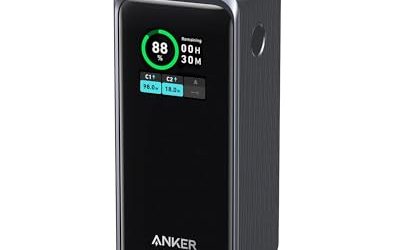
Storms knock out power and networks, so an app that only works online is a fair-weather friend. Look for apps that store the latest alerts, maps, and shelter lists on the phone, so the information stays available when the signal drops. Battery use matters just as much: an app that runs location tracking all day will drain the phone before the storm arrives, while one that checks in wisely can last through a long night. Check the battery settings and turn off any background features that are not needed, and keep a charged power bank ready for the hours when the mains power is out. Turn the screen brightness down to stretch the battery further, since every hour of battery life matters when the power is gone. Download the latest maps and shelter lists before the season, since an app with stale data can point to a shelter that closed years ago. Keep a paper list of emergency numbers as well, because a phone with a dead battery cannot look anything up.
Trusted sources behind the warnings
An emergency app is only as reliable as the data behind it. The best apps draw warnings from official sources such as national weather services and emergency management agencies, rather than from social media or crowd reports alone. Check who provides the alerts and whether the app says so clearly, since a warning from an official source carries weight that a rumour does not. Some apps also let users report conditions in their area, which can help neighbours, yet those reports should sit alongside official warnings rather than replacing them. A trustworthy app is transparent about its sources and honest about what it does not know. Neighbour reports can add useful detail, such as a blocked road or a fallen tree, yet they should never replace an official warning when the two disagree. Compare the app’s warnings with the national weather service website once, just to confirm they match, since a mismatch is a sign to switch providers. An app that explains its sources in plain language is easier to trust than one that hides them behind vague claims.
Which One Fits Your Situation
A household in a storm-prone area
For families in areas that see hurricanes, tornadoes, or severe thunderstorms every year, the priority is an app with fast official alerts, live radar, and shelter locations. Set the home location and the locations of schools and workplaces, turn on loud alerts for the hazards that threaten the area, and test the setup before the season. Keep the app updated and review the settings each spring, since a warning system that was set up years ago may be out of date. Teach every member of the household where the safe room is and what to do when the alert sounds, so nobody hesitates when it matters. Practise the plan once before the season, including where the torches and the power bank are kept, so the real event feels familiar rather than frightening. Keep torches, batteries, and a first-aid kit in the safe room, so the household is ready even if the power fails before the alert arrives. Review the plan with children so they know what to do without panicking.
Keeping track of loved ones elsewhere
When parents, children, or elderly relatives live in another town, an app that follows several locations at once is worth having. Add each loved one’s town to the app and turn on alerts for those places, so a warning for their area arrives on your phone as well as theirs. Agree on a simple check-in plan, such as a text message after an alert, so everyone knows the others are safe without a flurry of calls when the network is busy. Keep a list of phone numbers for relatives in other towns, and agree on one person who coordinates check-ins so the network is not flooded with calls. A short message saying everyone is safe is enough, and it leaves the lines free for those who need help. If a relative has limited mobility, agree in advance who will check on them and how, since a phone call may not be enough when the power is out. Share the shelter address for their area so they know where to go.
Living somewhere with weak signal
In rural areas or places where the signal fades in bad weather, offline access matters more than fancy features. Choose an app that stores the latest alerts and maps on the phone, and keep a battery-powered weather radio as a backup for the hours when the phone has no signal at all. Download offline maps of the area before the season, and make sure the household knows the local shelter locations without needing to look them up. A printed list of emergency numbers on the fridge is a simple backup that works even when every screen is dark. Keep the weather radio on a shelf near the safe room, with spare batteries beside it, so it is ready the moment the signal drops. Test the radio once a season to confirm it still picks up the local station.
Travelling during storm season
Travellers need an app that follows the phone rather than a fixed home address. Look for location-based alerts that warn about the area the phone is actually in, and turn on notifications for severe weather wherever the trip goes. Check the forecast for the destination before leaving, and keep the app’s offline maps for the route so a warning is still visible if the signal drops on the road. Pack a small power bank in the travel bag, since a phone with a dead battery cannot warn anyone. Save the emergency number for the destination in the phone before travelling, since looking it up during a storm wastes time. Tell someone at home the route and the expected arrival time, so help can be sent if the phone goes silent.
Common Mistakes
- Installing an emergency app during a storm, when the network is already busy and there is no time to learn the settings or test the alerts, leaving the household unprotected.
- Leaving alerts on silent mode, so the warning arrives as a quiet banner that nobody notices until the storm is already overhead, when it is too late to prepare.
- Trusting a single app without a backup, so a crash, a dead battery, or a lost signal leaves the household with no warning at all, and no way to know what is coming.
- Ignoring the location settings, which means alerts arrive for places miles away while the real danger nearby goes unmentioned, and the household is caught unprepared.
- Forgetting to update the app, so the maps, shelter lists, and alert settings slowly fall out of date and miss new hazards, including shelters that have moved or closed.
Frequently Asked Questions
What makes a good emergency app?
A good emergency app sends fast, location-based alerts from official sources, shows live radar and maps, and keeps working when the signal drops. It should warn loudly enough to wake a household at night, use the battery wisely, and make shelter locations easy to find. The best test is a quiet evening before the season: turn the alerts on, check that they sound, and confirm the maps load quickly. If anything fails the test, fix it now rather than during a storm.
Should I rely on one app or several?
One well-chosen app with official alerts is enough for most households, yet a backup is wise for the hours when the main app fails. A battery-powered weather radio is the classic backup, and a second app from a different provider can cover a gap if the first one crashes. Keep the setup simple, since three apps sending the same alert at once can cause confusion when decisions need to be quick. One main app plus a weather radio is a sensible balance for most households.
Do emergency apps work without internet?
Most apps need a connection to fetch new alerts and radar, yet good ones store the latest information on the phone so it stays visible when the signal drops. Download offline maps and shelter lists before the season, and keep a weather radio for the hours when the network is out entirely. An app that works offline is far more useful in a real emergency than one that needs a perfect signal. An app that works offline is far more useful in a real emergency than one that needs a perfect signal.
How do I set up alerts for my family?
Add the home location and the locations of schools, workplaces, and relatives to the app, then turn on alerts for the hazards that threaten each place. Agree on a simple check-in plan, such as a text after any severe alert, so everyone knows the others are safe. Review the settings together at the start of each storm season, and make sure every phone in the household has the same setup. A shared plan only works when everyone is using the same alerts and the same check-in routine.
More from Amazon
Programs that pair well with the guide above. Offers and eligibility are set by Amazon and may change.
Free shipping on eligible items, Prime Video and more. Eligible new members can start with a free trial.
Start a Prime free trialAudiobooks and podcasts to listen to on the go. Eligible new members can start with a free trial.
Try Audible freeAd-free music streaming. Eligible new subscribers can start with a free trial.
Try Music Unlimited freeA free business account with business pricing and bulk-buying tools for work, shop or home office.
Create a business accountAs an Amazon Associate we earn from qualifying purchases.