For most UK homes, a wire-free system such as Eufy Security or Ring suits renters and anyone who wants quick setup, a PoE kit from Reolink suits owners who can run cable and want recordings stored locally with no monthly fee, and Arlo or Google Nest suit those who value polished apps and are comfortable with subscriptions. The right system depends on whether you rent or own, how many entrances you need to watch, and how you feel about cloud storage. This guide compares the main approaches and explains the legal and practical points that apply in the UK.
UK Legal and Privacy Notes First
The UK Information Commissioner’s Office (ICO) publishes guidance for people using cameras at home. In general, cameras that only capture your own property are treated differently from cameras that capture neighbours’ homes, gardens or public spaces such as the pavement. If a camera records beyond your boundary, data protection rules may apply, and the ICO advises considering signage, narrowing the field of view and using privacy masking where the camera supports it. Audio recording is more intrusive than video, so many guides suggest disabling it unless you need it. This is general information, not legal advice; read the ICO guidance and your landlord’s rules before installing anything.
At a Glance
| System | Best for | Key stated traits | Limits |
|---|---|---|---|
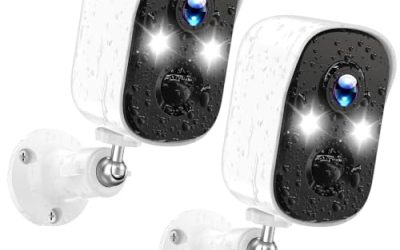
| Eufy Security (eufyCam kits with HomeBase) | Wire-free coverage with local storage | Maker lists battery cameras, a base station with on-board storage and on-device detection | Battery cameras need periodic charging; check UK availability per model |
| Reolink PoE kits with NVR | Owners who can run cable; no subscription needed | Maker lists power-over-ethernet cameras that record to a local hard drive recorder | Needs cabling and a spot for the recorder; less polished apps than some rivals |
| Ring cameras and Ring Alarm | Households wanting cameras plus an alarm in one app | Maker lists doorbells, stick-up cams, spotlight cams and an alarm system | Video history requires a subscription |
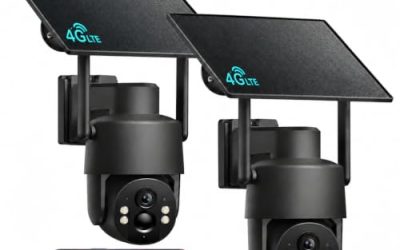
| Arlo Pro and Essential lines | Polished app and wire-free flexibility | Maker lists battery and solar options and optional cloud plans | Some smart features need a plan; premium pricing |
| Google Nest Cam | Homes using Google Home | Integrates with Google Home; maker lists indoor, outdoor and battery versions | Cloud history needs a Nest Aware plan |
| Wired DIY systems (Hikvision-based, Lorex and similar) | Larger properties or many cameras | Typically offered as multi-camera kits with a recorder | Installation effort; check manufacturer support and security updates |
Always check the exact kit, camera count and UK plug type on the product page, since regional listings differ.
Eufy Security
Eufy’s eufyCam line is the most common recommendation in UK reviews for buyers who want wire-free cameras without mandatory cloud fees. The maker’s approach combines battery-powered cameras with a base station that stores footage locally and handles the AI detection. Reviewers note that you can expand with more cameras, doorbells and floodlights. The trade-off is that battery cameras need occasional recharging, and rooftop or high mounting positions can be awkward. Eufy has also faced scrutiny in the past over how cloud data was handled, so read the current privacy settings and update firmware as the maker advises.
Reolink PoE Kits
Reolink sells multi-camera kits that connect by ethernet and draw power through the same cable, recording to a network video recorder with a hard drive. Reviewers like the reliability and the absence of recurring fees. The downside is installation: you need to run cables through walls or loft spaces, which can be difficult in rented property. If you own your home and are comfortable with drilling and cable runs, or can hire a professional, this is a strong option for 24/7 recording that does not depend on Wi-Fi.
Ring
Ring is widely used in UK homes thanks to its doorbells and its integrated alarm system. Reviewers appreciate the simple app and the range of devices, from indoor cameras to floodlight cams. The main caveat is that recorded clips and many smart features are tied to a subscription, so the system works best if you accept that ongoing cost. If you already have a Ring doorbell, adding a stick-up or spotlight camera keeps everything in one place.
Arlo and Google Nest
Arlo’s wire-free cameras and Google’s Nest Cam are premium-leaning choices known for their apps and detection quality. Arlo makers list battery and solar-assisted options; Nest cameras integrate neatly with Google Home and Assistant. Both tie their best features, such as longer video history and person or package detection, to paid plans. Choose these when app experience and ecosystem fit matter more than avoiding subscriptions.
Wired DIY Kits
For a large property or many cameras, a wired kit with a recorder can be more economical per camera over time. Brands such as Hikvision-based resellers and Lorex offer kits, though you should check security update policies and the supplier’s support in the UK. Poorly secured recorders exposed to the internet are a known risk; change default passwords, update firmware and avoid port forwarding. Some UK government bodies have restricted certain brands in sensitive sites, so households with specific concerns should review current guidance.
Choosing by Situation
- Renting: Wire-free battery systems avoid drilling and can be taken with you. Ask your landlord before mounting anything.
- Owning a house: PoE or wired kits give the most reliable footage and usually the lowest long-term cost.
- Flat or apartment: A video doorbell and one indoor camera may be enough. Check your lease and communal-area rules.
- Large garden or outbuildings: Look for cameras with good night vision and a Wi-Fi extender or PoE run to reach the far end.
- Weather: UK rain is constant, so look for a stated IP65 rating or better on outdoor models.
Storage and Subscriptions
Local storage gives you recordings without monthly fees but can be stolen along with the recorder if kept in plain sight. Cloud storage keeps footage off-site but usually costs a recurring fee. A hybrid approach, local recorder in a hidden place plus an optional cloud plan, gives the most resilience. Check how long each system keeps footage and whether you can export clips for police use.
Installation Tips
Mount cameras above head height, and cover doors, ground-floor windows and side access points. Avoid facing public pavements directly. Use a drip loop on cables to keep water from entering connectors. For mains-powered or PoE work, use a qualified electrician if you are unsure about electrical connections, and follow the maker’s manual. If you drill into brick, check for pipes and cables first.
Pick X If
| Pick this | If |
|---|---|
| Eufy Security | You want wire-free cameras and local storage |
| Reolink PoE kit | You own your home and want no subscription |
| Ring | You want cameras plus alarm in one app and accept a plan |
| Arlo | You want a polished app and flexible placement |
| Google Nest Cam | You use Google Home throughout the house |
| Wired DIY kit | You need many cameras and can handle cabling |
Budget Tiers
Budget systems are typically two-camera wire-free kits or small PoE kits. Mid-range options add more cameras, better night vision and floodlight combos. Premium systems include Arlo and Nest setups with multiple cameras, cloud plans and professional installation options. Remember that subscription costs can outweigh upfront savings over several years.
Alternatives
- Video doorbell only: A simple starting point for front-door coverage.
- Professionally monitored alarm: Some insurers prefer or require alarms meeting specific standards, so check your policy.
- Smart lighting and locks: These add deterrence and can be combined with cameras later.
Common Mistakes to Avoid
UK buyers often overlook the ongoing cost of subscriptions and compare only the upfront kit price. Others point cameras at the street or a neighbour’s garden, which can cause disputes and data protection concerns. Another common error is skipping the Wi-Fi check: wire-free systems depend on a strong signal at each camera position, and thick stone or brick walls can block it. Plan the recorder location too, because a hidden, ventilated spot protects footage from theft and overheating. Finally, keep a note of how to export clips, since police or insurers may ask for footage after an incident, and test the process before you need it.
Frequently Asked Questions
Do I need permission to put a camera on my house in the UK?
Owners usually do not need planning permission for a small camera, but renters should ask their landlord, and flat owners should check lease terms. Cameras that capture neighbours or public areas may raise data protection issues, so read the ICO guidance.
Can my neighbours object to my camera?
They can raise concerns if the camera captures their property or private spaces. Angle the camera to cover only your property, use privacy masking and consider signage. Disputes can become legal matters, so seek advice if needed.
Is local storage better than cloud storage?
Local storage avoids monthly fees and keeps footage in your hands, while cloud storage protects against theft of the recorder. Many people use both. Choose based on budget and how much you trust each approach.
Will my insurer care about security cameras?
Some insurers offer discounts or have requirements for alarms, but cameras alone do not always change terms. Ask your insurer what they recognise before buying.
Do wire-free cameras work in poor Wi-Fi areas?
They need a stable signal at the camera’s location. A mesh Wi-Fi system or a base station placed close to the cameras can help. If signal is weak, PoE cabling is more reliable.
How do I stop my camera being hacked?
Use unique strong passwords, enable two-step verification, update firmware, and avoid exposing recorders directly to the internet. Buy from brands that publish security updates.
More from Amazon
Programs that pair well with the guide above. Offers and eligibility are set by Amazon and may change.
Free shipping on eligible items, Prime Video and more. Eligible new members can start with a free trial.
Start a Prime free trialAudiobooks and podcasts to listen to on the go. Eligible new members can start with a free trial.
Try Audible freeAd-free music streaming. Eligible new subscribers can start with a free trial.
Try Music Unlimited freeA free business account with business pricing and bulk-buying tools for work, shop or home office.
Create a business accountAs an Amazon Associate we earn from qualifying purchases.